Home » News » Products News » Vacuum Cleaner Dust Bags » Vacuum Bag Says Full But Isn't? Causes & Fixes
Hot Keywords:
- All
- Product Name
- Product Keyword
- Product Model
- Product Summary
- Product Description
- Multi Field Search

Views: 50 Author: Melody Publish Time: 2026-11-23 Origin: Site


Your vacuum says the dust bag is full, but it still looks half empty. Is the bag faulty, or is something wrong with the vacuum?
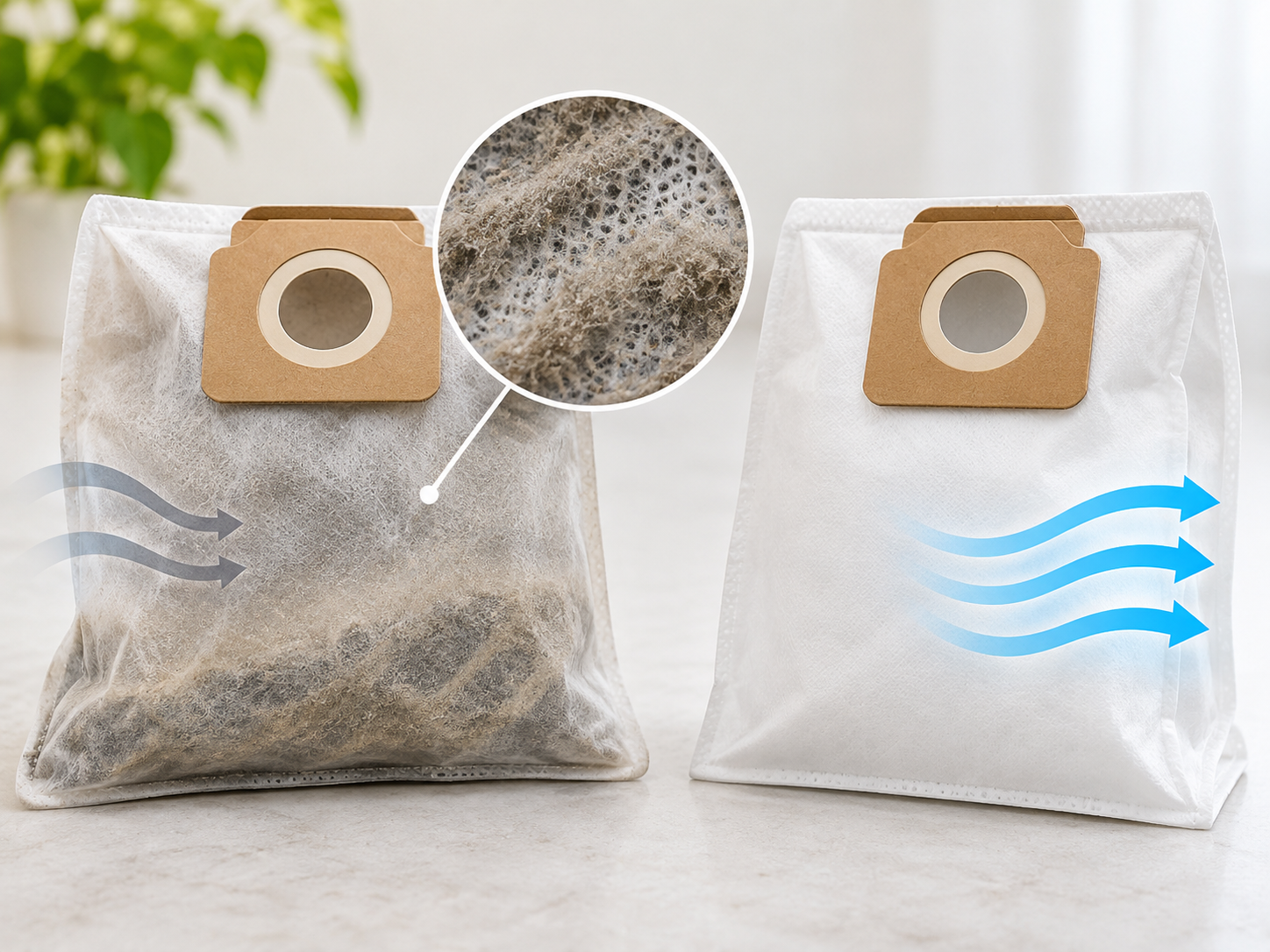
A vacuum bag can trigger a full-bag warning before it is physically full. Fine dust may block the bag's pores and restrict airflow. A clogged hose or dirty filter can cause similar symptoms.
Before replacing any parts, follow these simple checks.
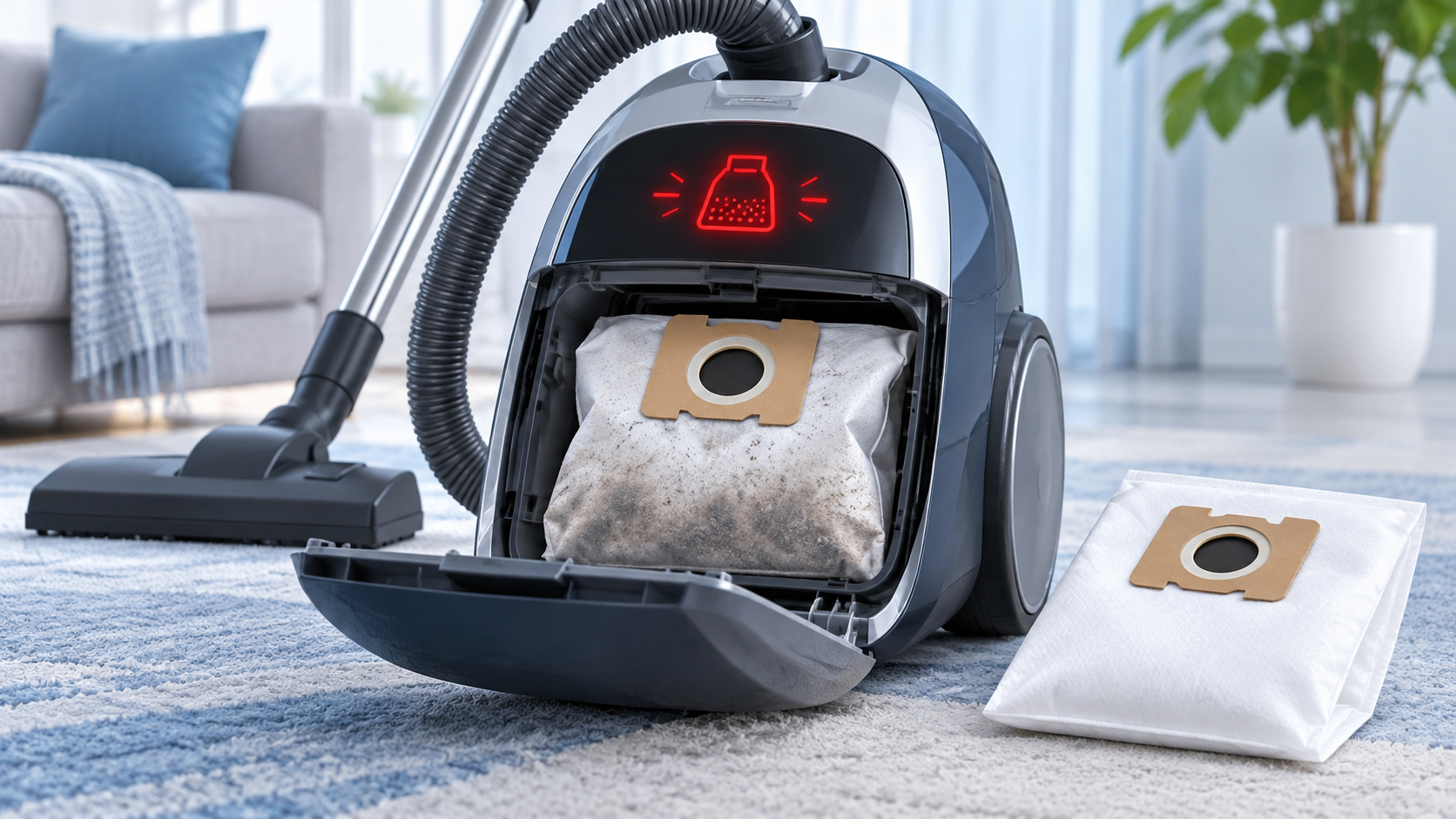
Some bagged vacuum cleaners use changes in airflow or pressure to indicate when a dust bag needs replacing.
The indicator does not necessarily measure how much dust the bag contains.
Two situations can occur:
Half-empty bag, full warning: Fine dust blocks the filter material, even though space remains inside.
Full bag, no warning: Hair and carpet fibers fill the bag while air can still pass through.
Miele explains both situations in its vacuum cleaner operating instructions.
The key point: A bag can lose airflow capacity before it runs out of space.
Other possible causes include a blocked hose, clogged nozzle or dirty motor protection filter.
Before inspecting the vacuum cleaner, turn it off and unplug it.
Step 1: Check the Dust Bag
Open the dust compartment according to the appliance manual.
Look for heavy dust buildup, tears, leaks or incorrect installation.
If the bag is damaged or the material is heavily clogged, replace it with a compatible bag.
Step 2: Check the Hose and Floor Nozzle
Remove visible hair, paper or debris from accessible openings.
A blocked hose or floor nozzle can reduce airflow even when the dust bag is new.
Step 3: Check the Filters and Indicator
Inspect the motor protection and exhaust filters according to the manufacturer's instructions.
Some vacuum cleaners require a specific floorhead and suction setting when checking the bag-change indicator.
For example, certain Miele models require the standard floorhead, maximum suction and a slightly raised floorhead for an accurate indicator check.
Always follow the instructions for your own model.
A dust bag does not have to look full to need replacement.
Use this table to decide what to check next.
| What You Notice | Possible Cause | Recommended Action |
| Bag is half empty, but suction is weak | Fine dust has clogged the bag | Replace the bag if indicated by the manual |
| Bag is visibly overfilled | Bag has reached its capacity | Replace it |
| Warning remains after changing the bag | Another airflow restriction | Inspect hose, nozzle and filters |
| Dust appears inside the bag compartment | Bag damage or poor sealing | Check the bag and mounting collar |
| Bag is new, but the cover will not close | Incorrect installation or bag type | Check the model and mounting structure |
Most disposable vacuum dust bags are designed for single use.
Do not wash, empty or reuse them unless the manufacturer specifically allows it.
Safety tip: Do not use ordinary household vacuum bags for hazardous or fine construction dust unless the complete vacuum system is approved for that material.
If a new dust bag does not solve the problem, check other possible restrictions.
A clogged motor filter, blocked hose or obstructed floor nozzle may affect airflow.
Also confirm that the new bag is installed correctly. Its mounting collar should fit the holder without leaving gaps or preventing the cover from closing.
If the warning continues after the recommended checks, consult the appliance manual or service provider.
Do not keep replacing dust bags without checking the rest of the airflow path.
Before ordering a replacement, confirm four details:
Model Number: Check the full vacuum cleaner model.
Part Number: Compare the original dust bag reference.
Mounting Collar: Match the connector shape and inlet opening.
Bag Size and Material: Confirm the required dimensions and construction.
Paper and non-woven bags may have different filtration and durability characteristics. However, material alone does not determine performance.
For a detailed comparison, see our guide to Paper vs Non-Woven Vacuum Bags.
Blue Sky Filter supplies compatible replacement dust bags for selected household and commercial vacuum cleaners.
Paper Dust Bags for Commercial Vacuum Cleaners
Replacement paper dust bags compatible with selected Orecks commercial vacuum cleaner models using the PK800025 part reference.
View Oreck-Compatible Paper Dust Bags
Non-Woven Dust Bags for Household Vacuum Cleaners
Medium Efficiency Filter dust bags with non-woven construction, compatible with selected Vorwerks Kobold VK130 and VK131 vacuum cleaners.
View Vorwerk-Compatible Dust Bags
Check the exact model, dimensions and mounting structure before ordering. These are compatible replacement products, not original-branded dust bags.
Need another dust bag size or structure?
Explore More Vacuum Cleaner Dust Bags
Blue Sky Filter supports OEM and ODM customization, including filtration materials, bag dimensions, mounting collars and packaging.
Wholesale buyers can provide original samples, technical drawings or model references for compatibility evaluation.

Why does my vacuum bag show full when it is nearly empty?
Fine dust may block the bag's pores and reduce airflow. A blocked hose or dirty filter can also cause similar warnings.
Can a vacuum bag be full without triggering the indicator?
Yes. Some airflow-based indicators may not react immediately when a bag contains large amounts of hair or carpet fibers.
Should I replace a half-empty vacuum bag?
Replace it if the manufacturer recommends doing so or if clogged media is affecting airflow.
Why is the warning still on after installing a new bag?
Check the hose, floor nozzle, motor filter and bag installation. Follow your model's indicator-check procedure.
A vacuum bag can trigger a full warning before it is physically full. Fine dust buildup is one possible cause, but other airflow restrictions can produce similar symptoms.
Check the bag, hose and filters before replacing parts. When a new bag is needed, choose one that matches your vacuum cleaner's model and mounting structure.

If you want to see our updates in real time on social media, you can follow the following accounts.
LinkedIn: linkedin.com/company/blueskyfilter
Twitter: twitter.com/blueskyfilter
Facebook: www.facebook.com/blueskyfilter.manufacturer/
Youtube: www.youtube.com/@blueskyfilter
Instagram: https://www.instagram.com/nanjingblueskyfilters/


