Why Does My Robot Vacuum Leave Dust Behind?
A robot vacuum may leave dust behind because of a clogged filter, tangled brush, full dustbin or blocked suction inlet. Worn side brushes can also reduce cleaning coverage.
The problem is not always the motor. Before replacing the machine, check the cleaning components and identify where the dirt remains.
This guide explains the common causes, simple fixes and signs that a replacement part may be needed.
Why Is My Robot Vacuum Not Picking Up Dirt?
A robot vacuum uses several components to collect dust and debris. Each part has a different job.
The most common problems include:
Clogged filter: Dust buildup can restrict airflow and affect suction.
Full dustbin: Collected debris leaves less room for new dirt.
Tangled main brush: Hair and fibers can prevent the brush from collecting debris properly.
Worn side brush: Damaged bristles may leave dust along walls and corners.
Blocked suction inlet: Debris can interrupt the airflow path.
Before replacing anything, check these parts individually. A simple blockage or worn brush may be the main problem.
Where Does Your Robot Vacuum Leave Dust Behind?
The location of leftover dirt can help narrow down the cause.
| Cleaning Problem | What to Check | Possible Solution |
| Dust along walls and corners | Side brush | Remove hair or replace worn bristles |
| Hair and crumbs on carpets | Main brush | Remove tangled fibers and inspect the brush |
| Fine dust across the floor | Filter and dustbin | Check for clogging and accumulated debris |
| Dirt remaining near furniture | Navigation and side brush | Check sensors, cleaning settings and brush condition |
| Dust escaping near the exhaust | Filter and sealing edges | Check installation and filter damage |
These signs are useful starting points, not a diagnosis for every model. Cleaning systems vary between robot vacuum designs.
How Do the Main Brush, Side Brush and Filter Work Together?
These three components have different functions. Understanding them makes troubleshooting easier.
Main Roller Brush
The main brush helps lift and collect dirt, hair and debris from the floor. A brush covered in tangled hair may not rotate properly.
Side Brush
The side brush sweeps debris from corners, wall edges and areas around furniture. Worn or bent bristles can reduce edge-cleaning coverage.
Vacuum Filter
The filter captures particles from the airflow inside the machine. Heavy dust buildup can restrict airflow, depending on the filter design and vacuum system.
A problem with one component can affect the overall cleaning result. However, replacing the filter will not fix a damaged brush, and replacing a brush will not solve a clogged filter.
How Can You Improve Robot Vacuum Cleaning Performance?
Try these checks before ordering replacement parts.
Empty the Dustbin
Remove collected dust and debris. Check the opening for buildup that may block the airflow path.
Inspect the Filter
Remove the filter and look for heavy dust accumulation, damage or deformation.
Clean it only if the manufacturer allows cleaning. Replace it if it is damaged or remains blocked after approved maintenance.
Clean the Main Brush
Remove hair, threads and fibers wrapped around the roller. Check whether it rotates freely.
Check the Side Brushes
Remove tangled hair and inspect the bristles. Replace the brush if the bristles are broken or permanently bent.
Check the Suction Inlet
Look for small objects and debris blocking the air passage. Follow the manufacturer's instructions when removing obstructions.
Review the Cleaning Settings
Check the selected cleaning mode, suction level and room coverage. Low-power settings or incomplete cleaning routes may also explain leftover dirt.
When Should You Clean or Replace Robot Vacuum Parts?
Not every dirty component needs immediate replacement.
| Component | Cleaning or Maintenance | Replacement Signs |
| Filter | Clean only when permitted | Damaged, deformed or persistently clogged |
| Main Brush | Remove tangled hair and fibers | Worn bristles or damaged rubber strips |
| Side Brush | Remove dust and tangled hair | Broken or permanently bent bristles |
| Dustbin | Empty and remove accumulated debris | Cracked or damaged structure |
| Dust Bag | Follow the dock maintenance instructions | Full, damaged or leaking |
Always follow the maintenance instructions for your specific model. Replacement intervals vary with cleaning frequency, floor type, pet hair and operating conditions.
How Do You Choose the Right Replacement Filter and Accessories?
A replacement part must match the robot vacuum model and its installation structure. Similar-looking filters may have different dimensions and mounting designs.
Check these details before ordering:
| Specification | What to Confirm |
| Robot Vacuum Model | Exact model and series |
| Filter Dimensions | Length, width and thickness |
| Frame Design | Shape, clips and mounting points |
| Filter Media | Material and filtration structure |
| Sealing | Proper contact with the filter compartment |
| Accessory Type | Main brush, side brush, mop pad or dust bag |
For wholesale orders, checking an original sample or technical drawing can help reduce compatibility problems.
Robot Vacuum Replacement Kits from Blue Sky Filter
Blue Sky Filter supplies replacement filters and accessories for selected robot vacuum models. Our range includes filters, main brushes, side brushes, mop pads and dust bags.
Roborock Q10 Series Replacement Kit – BS4273
Compatible with selected Roborock Q10 S5+, Q10 S5, Q10 X5 and Q10 X5+ models.
The listed kit includes:
1 main brush
2 side brushes
2 HEPA filters
2 mop pads
2 dust bags
The listed HEPA filter measures 79 × 79 × 8 mm.
Explore BS4273 and other Q10 replacement kits →
Search for model BS4273 in the product category.
Roborock S7 Series Replacement Kit – BS843
Compatible with selected Roborock S7, S70, S75, S7 Max, S7 MaxV and T7S Plus models.
The kit combines a filter, main brush, side brush and mop pad. The listed filter dimensions are 136 × 57 × 12 mm.
View BS843 Replacement Kit →
ECOVACS DEEBOT and Yeedi Replacement Kit – BS4284
Compatible with selected ECOVACS DEEBOT T80S Omni, X9 Pro Omni and Yeedi S16 Plus models.
The kit includes a main brush, side brush, filter, mop pad and dust bag.
View BS4284 Replacement Kit →
Click the product images to view specifications and compatibility details. Always confirm your exact model before ordering.
Looking for other models or accessory combinations?
Explore More Robot Vacuum Replacement Parts →
Blue Sky Filter also supports OEM and ODM customization. Buyers can provide model numbers, dimensions, photos or original samples for compatibility evaluation.
FAQ
Why does my robot vacuum leave fine dust on the floor?
Check the filter, dustbin and suction inlet. A clogged filter or blocked air passage may affect cleaning performance. Also check the brush and cleaning settings.
Can a clogged filter reduce robot vacuum suction?
Yes. Dust buildup can restrict airflow in the vacuum system. Clean or replace the filter according to the manufacturer's instructions.
Why does my robot vacuum leave dirt along walls?
The side brush may be worn, bent or tangled with hair. Check its condition and make sure it is installed correctly.
Should I replace the filter or the main brush first?
It depends on the problem. Check the filter if airflow is restricted. Inspect the main brush if hair and debris remain on carpets or hard floors.
Can I wash a robot vacuum HEPA filter?
Not every filter is washable. Check the product instructions before using water. Washing an unsuitable filter may damage its media.
Conclusion
A robot vacuum that leaves dust behind does not always need repairing. The cause may be a clogged filter, full dustbin, tangled main brush or worn side brush.
Start with a simple inspection. Identify the affected component, clean it using approved methods and replace it when necessary.
The right replacement filter and accessories help your robot vacuum maintain consistent cleaning performance.

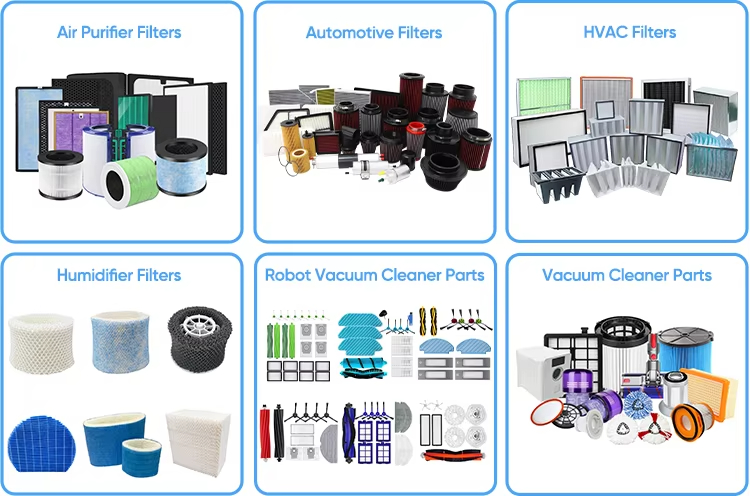
Main product of us
If you want to see our updates in real time on social media, you can follow the following accounts.
LinkedIn: linkedin.com/company/blueskyfilter
Twitter: twitter.com/blueskyfilter
Facebook: www.facebook.com/blueskyfilter.manufacturer/
Youtube: www.youtube.com/@blueskyfilter
Instagram: https://www.instagram.com/nanjingblueskyfilters/